
.png)
Description
Download Spark by News Republic – Free News Aggregator, Personalized Feed, Secure Updates
Overview
Spark by News Republic is a streamlined news aggregator designed to eliminate the endless scrolling and site‑hopping that most readers endure when trying to stay current. By learning your preferences—whether you’re interested in global politics, tech breakthroughs, lifestyle blogs, or video‑based commentary—the app builds a personalized feed that surfaces the most relevant articles, blog posts, and videos in a single, easy‑to‑navigate hub. With more than 30 million registered members, Spark has quickly become a trusted source for both casual readers and content creators who want to reach a wider audience without the hassle of managing multiple platforms. The interface is clean, the loading times are rapid, and the curation engine works silently in the background, delivering fresh content as soon as it appears online. Whether you’re on a desktop, laptop, tablet, or smartphone, Spark ensures you never miss a story that matters to you. Security is baked into the service: all connections are encrypted, and the app respects user privacy by avoiding invasive tracking. In short, Spark by News Republic offers a free, secure, and highly customizable way to consume news, blogs, and video content—all from one place.
Key Features that Set Spark Apart
- AI‑Driven Personalization: The algorithm learns your reading habits and refines the feed in real‑time, ensuring you see the most pertinent stories first.
- Multi‑Source Aggregation: Pulls articles, blog posts, and videos from thousands of reputable publishers, blogs, and YouTube channels.
- Unified Dashboard: A clean, card‑based layout groups content by category, making it simple to switch between news, tech, lifestyle, and entertainment.
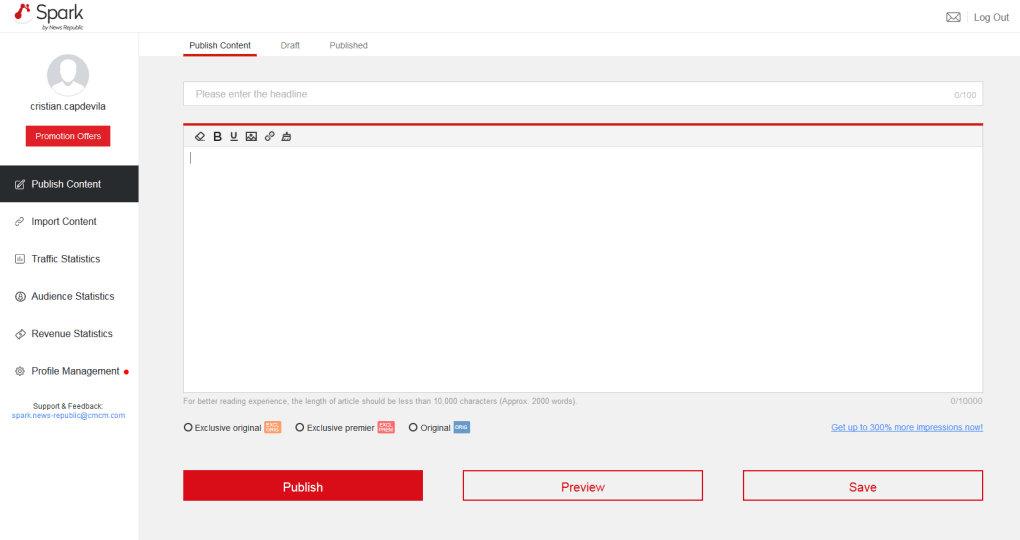
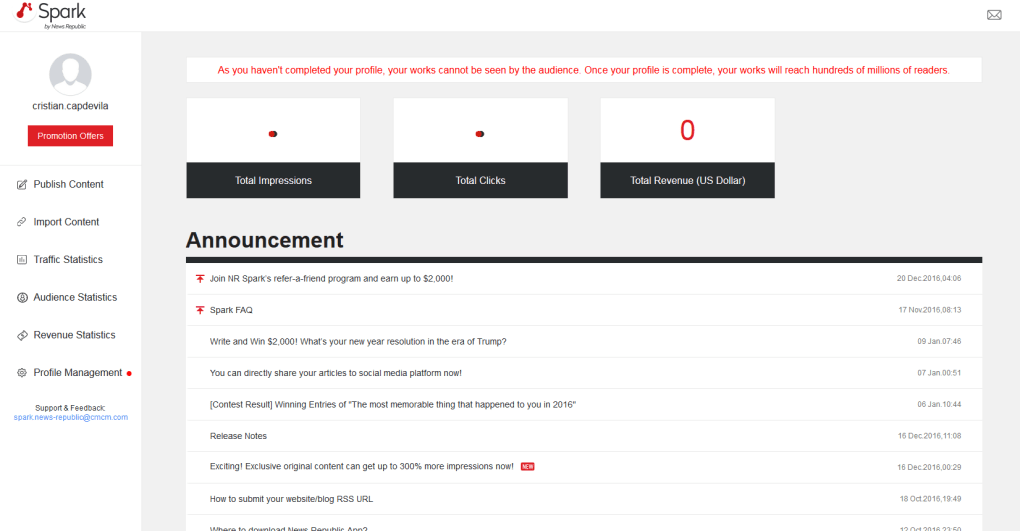
- Audience Metrics for Creators: Provides an integrated analytics panel that shows which posts receive the most views, average reading time, and audience demographics.
- Offline Reading Mode: Save articles for later consumption without an internet connection, perfect for commuting or travel.
- Cross‑Platform Sync: Your preferences and saved items sync instantly across Windows, macOS, Android, and iOS devices.
- Secure Data Handling: End‑to‑end encryption protects your login credentials and browsing data, complying with GDPR and CCPA standards.
- Customizable Alerts: Set push notifications for breaking news in specific topics or for new posts from favorite bloggers.
- Ad‑Free Experience (Premium Option): While the free version includes discreet, non‑intrusive ads, a premium upgrade removes them entirely.
- Simple Sharing Tools: One‑click sharing to social media platforms, email, or direct link copying for effortless distribution.
Installation, Usage Guide & Compatibility
Getting started with Spark by News Republic is intentionally straightforward. Follow the steps below for a smooth setup on any supported operating system.
Step‑by‑Step Installation
- Visit the Official Website: Navigate to spark.newsrepublic.com and click the “Download” button that matches your device (Windows, macOS, Android, or iOS).
- Run the Installer: On Windows/macOS, double‑click the downloaded .exe or .dmg file and follow the on‑screen prompts. Mobile users will be redirected to the appropriate App Store.
- Create an Account: You can sign up using an email address, Google, or Apple ID. Verification is completed via a quick email link or SMS code.
- Set Your Preferences: During the onboarding wizard, select topics you care about, preferred language, and any specific publishers you want to prioritize.
- Sync Across Devices: Log in with the same credentials on all your devices; Spark automatically syncs your feed, saved articles, and settings.
First‑Time Usage Tips
Once installed, the home screen presents a “Today’s Highlights” carousel that showcases the top stories based on your interests. Swipe left or right to browse. Tapping a card opens the full article in an in‑app reader, preserving your reading position for later. Use the bottom navigation bar to switch between “News,” “Blogs,” “Videos,” and “Dashboard.” The Dashboard is where creators can view audience metrics, adjust posting schedules, and explore trending topics. To fine‑tune your feed, tap the “Settings” icon and modify the interest sliders, add new sources, or enable push notifications for instant alerts.
Supported Operating Systems: Spark runs natively on Windows 10 or later, macOS 10.14 or later, Android 8.0 or newer, and iOS 13 or newer. The application is optimized for both desktop browsers (via a progressive web app) and native mobile environments, guaranteeing a consistent experience regardless of platform.
For power users, Spark also offers a lightweight browser extension (available for Chrome, Edge, and Firefox) that adds a quick‑access toolbar to capture articles on the fly and push them directly into your personal feed. The extension respects your privacy settings and does not store any data locally; everything is processed securely in the cloud.
Pros and Cons – Balanced Evaluation
Pros
- Highly accurate AI personalization saves time and reduces information overload.
- Unified dashboard for both readers and creators streamlines content discovery and audience analysis.
- Cross‑platform sync ensures a seamless experience across all devices.
- Secure, encrypted connections protect user data and comply with major privacy regulations.
- Offline reading mode and customizable alerts keep users connected even without internet access.
Cons
- Free version includes occasional ads, which some users may find distracting.
- Advanced analytics are primarily geared toward content creators, offering limited insight for casual readers.
- Initial onboarding questionnaire can feel lengthy for users seeking a quick start.
- While the algorithm is robust, it occasionally surfaces less‑relevant articles during breaking news spikes.
- Premium ad‑free subscription adds an extra cost for users who prefer an entirely free experience.
Frequently Asked Questions
Is Spark by News Republic completely free to use?
Yes, the core news aggregation and personalization features are free. A premium subscription removes ads and unlocks advanced analytics for creators.
How does Spark protect my personal data?
All data transmission is encrypted with TLS 1.3, and the service adheres to GDPR and CCPA standards. User preferences are stored securely in the cloud, never on the device.
Can I import my existing RSS feeds?
Absolutely. Within Settings > Sources, you can add custom RSS URLs, and Spark will incorporate those feeds into your personalized stream.
Does Spark work offline?
Yes. Articles saved for later reading are cached locally, allowing you to read them without an internet connection. Video content requires a connection for streaming.
How frequently is the content updated?
Spark refreshes its source pool every few minutes, ensuring breaking news and fresh blog posts appear in near‑real time.
Conclusion – Why You Should Download Spark Today
In a world saturated with information, Spark by News Republic offers a breath of fresh air by consolidating the most relevant articles, blogs, and videos into a single, secure hub. Its AI‑driven personalization, cross‑platform availability, and creator‑focused analytics make it a versatile tool for both readers seeking efficiency and publishers looking to grow their audience. While the free version includes occasional ads, the overall experience is polished, fast, and trustworthy. If you value a streamlined news experience that adapts to your interests and respects your privacy, Spark is a download you won’t regret. Click the link below to install the app on your preferred device and start enjoying a smarter way to stay informed.
Download Spark by News Republic now and take the first step toward a clutter‑free news routine.
Guides & Tutorials for Spark by News Republic
How to install Spark by News Republic
- Click the Preview / Download button above.
- Once redirected, accept the terms and click Install.
- Wait for the Spark by News Republic download to finish on your device.
How to use Spark by News Republic
This software is primarily used for its core features described above. Open the app after installation to explore its capabilities.
User Reviews for Spark by News Republic 0
No reviews found




